Showing posts with label Linux. Show all posts

Linux 3.0 Released; Linus Torvalds Explains Why You Shouldn't Care


The Linux 3.0 kernel was officially pushed out Thursday night, a milestone that even Linus Torvalds says you shouldn't care about.

Torvalds made the announcement Thursday night on Google+, after the release was delayed four days after the discovery of an "incredibly subtle" pathname lookup bug, in Torvalds' words.

SUSE Linux Agreement with Microsoft Extended Four Years


Microsoft has extended its agreement with SUSE for another four years. The software giant has committed to invest $100 million to acquire new certificates for enterprise customers receiving Linux support from the independent business unit of the Attachment Group, which acquired SUSE's former owner Novell for $2.2 billion under an agreement inked last November.

Setup a File Only Upload FTP Server with vsftpd

This post describes how to setup a FTP server using vsftpd 2.0.5 in CentOS with the ability to allow anonymous users to upload files and don’t have the ability to create directory. You can use this FTP server as a public dropbox to share files. If users would like to upload directory, you can suggest them to zip the directory and they can upload them as a file.

Pre-requisite Check
Run the command below to query for vsftpd rpm: -

rpm -qa vsftpd

If vsftpd is not installed, you can use yum to install it using the command below: -

yum install vsftpd

Initial Configuration
The configuration directory of vsftpd is located in /etc/vsftpd path. It is advisable to backup the good known configuration files for easier quick restoration. Run the command below: 

Remote Mount a VMDK File Using vmware-mount

After years of using VMware products, be it VMware Server, VMware Workstation, VMware Infrastructure and VMware vSphere, I haven’t encounter failure on booting a Windows OS. But, one fine day this week itself, one of the Windows Server 2003 virtual machine (VM) can’t boot up because of missing boot.ini file.

Without any delay, I download the Virtual Disk Development Kit 1.2.1 from http://www.vmware.com/support/developer/vddk/ and I copy out the virtual disk from the shared storage which is virtual_machine_name-flat.vmdk (file name is an example only) with the filesize of 20GB. I tried mounting the VMDK file locally but failed. After several tries, I decided to copy the rest of the files in the VM folder from the share storage. Woot woot, I am able to mount the VMDK file using the command below: 

# vmware-mount X: "C:\VM\virtual_machine_name.vmdk"

Now, the VMDK file is mounted as X: drive letter locally so I begin to copy a good copy of boot.ini file. Copying those files to the shared storage is a pain because I have to wait 30 mins. Once the copying is completed, I begin to power on the VM but it failed to boot up telling me that NTDETECT.com is missing. What the heck, I have to copy thoses file again from shared :(

How To Shrink a VMDK File in ESX 4 and Windows

Today, I would like to share a howto reduce or shrink a VMware VMDK file (aka hard disk) for a Windows VM . Bare in mind that this is not reducing or shrinking a volume in Windows and leaving a free partition space. For this howto, I will be reducing or shrinking the Hard Disk 2 for a Windows VM from 30GB to 5GB whereby the example VMDK file name will be sourcedisk_1.vmdk which is D:\ drive. Logon to your Windows VM and shrink the target disk 30GB to 5GB. In the Disk Management, right click on the partition that you want to shrink and select “Shrink Volume” from the menu.

In the Shrink dialog, you will need to enter the amount you want to shrink by and not the new size. For example, if you want to shrink to 5GB partition you need to enter 25600 into the box and you will have 5117 total size after shrink in MB which is 5GB. Click Shrink button to proceed and you will now have 5GB NTFS partition and the rest is RAW partition. You can proceed to shutdown this VM.

Logon to your ESX host and nagivate to the sourcedisk_1.vmdk file. Edit the VMDK file and look for “Extent description” section as below: 

Setup vsftpd 2.0.5 with TLS in CentOS 5.5

Do you know what is a File Transfer Protocol (FTP)? FTP (RFC959) is a network protocol used to transfer data files from one computer to another through a network. The risk of using FTP is notable by using plaintext username and password. This is very insecure. Your login and password can be easily sniffed.

This post describes how to install and setup a secured FTP server using vsftpd 2.0.5 with TLS in CentOS 5.5 the easy way.

Pre-requisite Check
Run the command below to query for vsftpd rpm: -

rpm -qa vsftpd

If vsftpd is not installed, you can use yum to install it using the command below:

How to choose the best Linux distro for laptops


The smart mobile user shouldn't overlook Linux. The question is, which distro should you pick?

You'll get a different answer depending who you ask. You'll probably be pointed in the direction of Arch for performance, Debian for stability and Ubuntu if you want easy access to the biggest collection of apps.

If that's not enough choice to make your head spin, Slackware has its fans too – particularly among people who use older laptops.

As you read on, we'll look at a range of different scenarios that should be familiar to mobile users, and explore Linux distros that will help you survive and flourish in these situations.

10 best Linux distros for 2011

Hardware compatibility, ease of use, the size of a software repository. These three attributes are unique to each Linux distribution. But at the same time, each Linux distribution is at liberty to take and mix whatever it wants from any other.

This creates a rather unique situation, where good ideas quickly spread, and bad ones fail. And as a result, there are dozens of distribution updates each month, hundreds each year, in a race to leap-frog each other in the race to the top of the DistroWatch.com charts.

This is why the answer to the question of which distribution is best for you changes with the tides, and why we're keen to keep on top of distribution developments.

What follows are our recommendations, updated for this year, and split by typical users. Try them yourself. They're all free.

1. The best distro for beginners: Ubuntu 11.04

We must admit that despite Ubuntu's ubiquity, it has only just managed to hold on to the top-spot as the best distro for beginners. This is because the latest release will feel unfamiliar to anyone from a Windows, Gnome 2 or KDE background, although Mac users might feel more at home than most.

This is due to the Ubuntu team replacing the old desktop with something it calls Unity - a slick and accelerated full-screen interface that allows you to switch quickly between applications and find your files. Except that this first release has some stability issues and if your graphics hardware isn't up to the job, the fall-back to an older desktop creates unnecessary confusion.

Squeezing Linux Mint Debian Edition


Linux Mint Debian Edition (LMDE) is awesome! Based on Debian Testing it is a rolling distro. That means if you are running LMDE you will always have an up-to-date system running, and as the saying and experiences go, Debian testing base is more stable than the so called final/stable releases of most other distros. But if you are a stability freak like me, you can make your Linux Mint Debian stable by pointing the apt sources.lst to squeeze. This ways you won't have to install point updates of applications every now and then. You will always have the most stable and workable system for quite a long period, till squeeze becomes obsolete. Here is how I did it.

PCLinuxOS 2009.1 Live Installable CD

PCLinuxOS is a complete Linux distribution created with the new Linux user in mind.


PCLinuxOS is a complete operating system for your computer, and is often used instead of Microsoft Windows because:
It costs hundreds of dollars less.
Has virtually no spyware or virus issues.
Can still run on older computers where newer versions of Microsoft Windows won't.
Has free Online support available.

PCLinuxOS 2009.1 is a great alternative to Microsoft Windows. It's easy to install and has an excellent track record of supporting a wide range of hardware. Anyone who has ever used Microsoft Windows should feel at home using PCLinuxOS.

Install Linux Mint 7 to a Flash Drive in Windows


Create a USB Linux Mint 7 persistent flash drive using Windows.

In the following tutorial, we show you how we used Windows and our custom script to create a Portable Linux Mint 7 USB flash drive. Linux Mint 7 Gloria is based on Ubuntu 9.04 Jaunty Jackalope and is compatible with it's current repositories. Originally launched as a variant of Ubuntu with integrated media codecs, Linux Mint has developed into an elegant Linux distribution. Currently maintained by Clement Lefebvre, more information about Linux Mint can be found at the Official Linux Mint site.

openSUSE Final


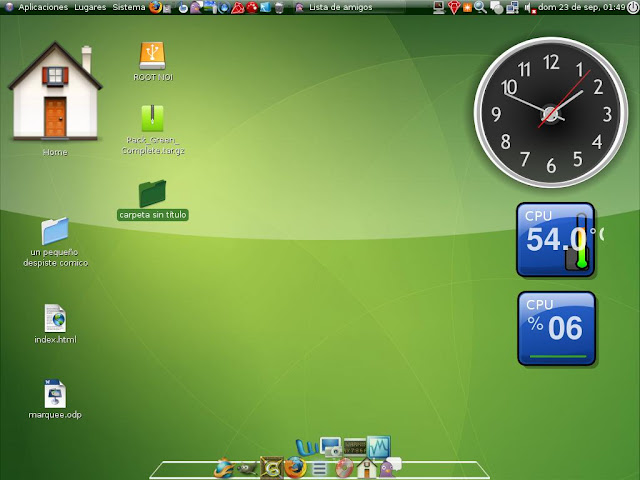
Here's, (I think) first visual style based on KDE.
FINALY RELEASED!
You can find linux skins as much as you like, but all are based on Gnome.
So, here's one KDE skin. Based on my favourite linux, openSUSE (Version 10.3).